To control and account for cargo, large enterprises use weighing stations. The principle of operation of the weighing station is very simple: a car with a load drives onto the weighing platform, the value stabilizes and after that the system automatically records the readings.
Measurements are taken at the exit empty and at the entrance of the car already loaded. Thus, two indicators remain in the system, the difference between which is the weight of the load. To identify these events, we recommend using an RFID identification system.
In order to effectively use such equipment, outdated weighing models are often re-equipped with digital weighing terminals. It is to them that UMKu can be connected using the MyLogic script. At the moment, all weights that we encountered have been connected to the UMK and integrated into the GLONASSSoft monitoring system.
In order for the system to start analyzing data from the weighing terminal, it is necessary to create a sensor with the Weighing terminal type in the object that is the weighing terminal in the system.
Sensor type The weighing terminal is located in the Agro group, in the drop-down list of sensor types.
You can see how the sensors are configured in the article: Sensors .
After creating a sensor with the Weighing terminal type, an event template with the name Weighing terminal will appear in the Templates tab.
The standard conditions for determining the weight are:
The event is generated if the readings of the "Weight terminal" sensor have reached a certain value and do not change for a certain period of time.
In the GLONASSSoft monitoring system, you have the opportunity to build two tables based on data from weighing terminals, these are the Plumb and Weight tables .
The Plumb and Weight tables are subreports of the Track report.
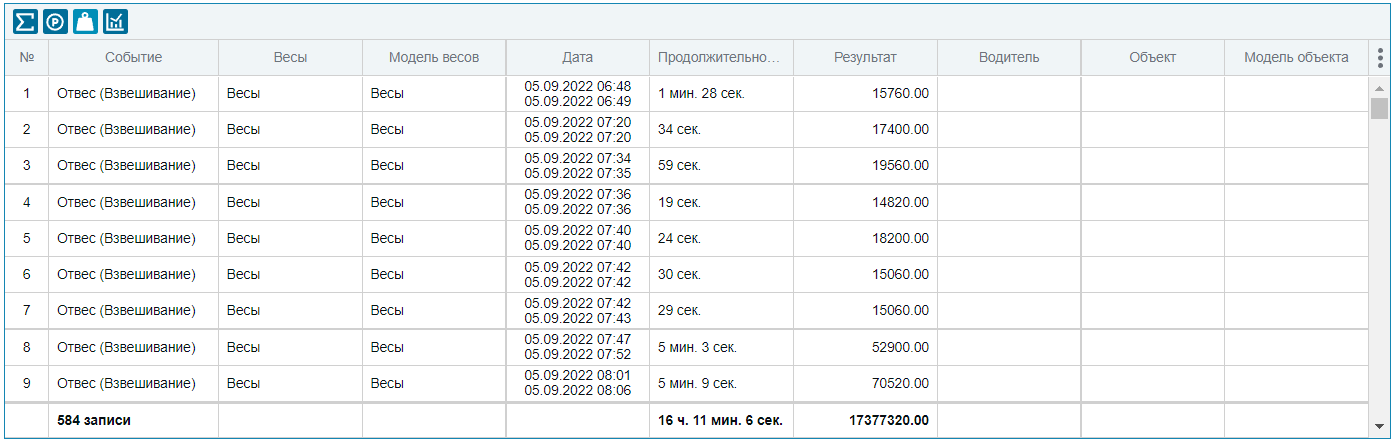
To generate the Plumb bob table, it is necessary to have a sensor of the Weight terminal type . Also, to identify the driver, the name and model of the object by RFID, you can specify a sensor of the driver RFID type. The table allows you to get ungrouped weighing data, even without reference to the weighed objects.
The plumb table consists of the following columns:
The object to be weighed is determined by data from the driver's RFID card during the weighing period. Conditions for defining an object:
Also summarized below are the final data on the number of weighings for the specified time interval, the total duration of weighings and the total weight of the cargo.
To form the Weighing table , it is necessary to have both a sensor of the Weighing terminal type and a driver RFID type.
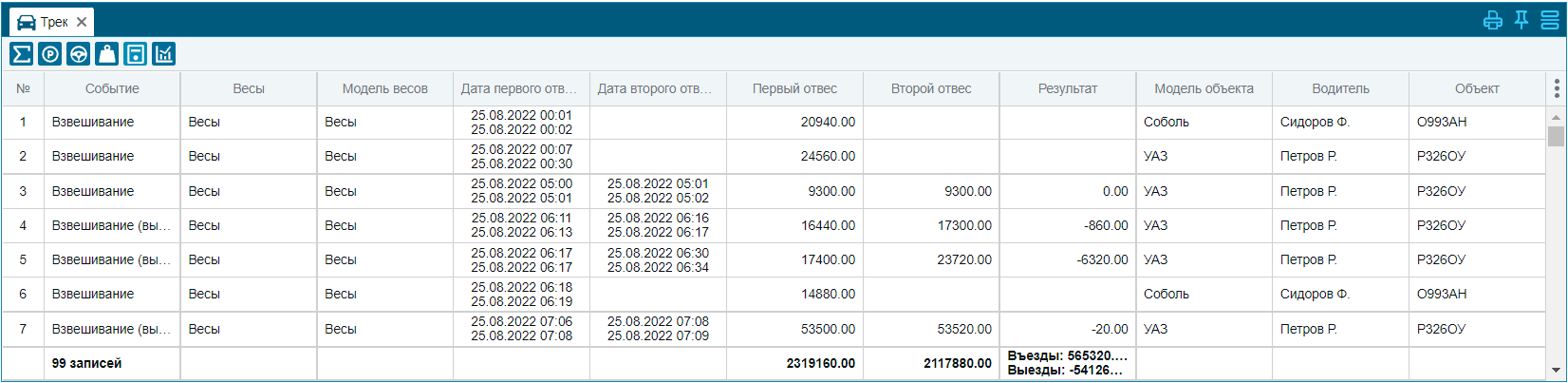

The plumb table consists of the following columns:
The object to be weighed is determined by data from the driver's RFID card during the weighing period. Conditions for defining an object:
If during the report generation period there were more than one "Weigh-in" events with the same driver identified by RFID, then these events are combined into one report record, according to the "Combine events during, min" setting located in the User Settings - "Reports" section.
The default is 60 minutes.

Also summarized below are the final data on the number of weighings for the specified time interval, the total value of the first plumb line, the total value of the second plumb line and the total weight of the results.
If during the weighing period photos were received from the terminal into the system, they will be added as in a table.
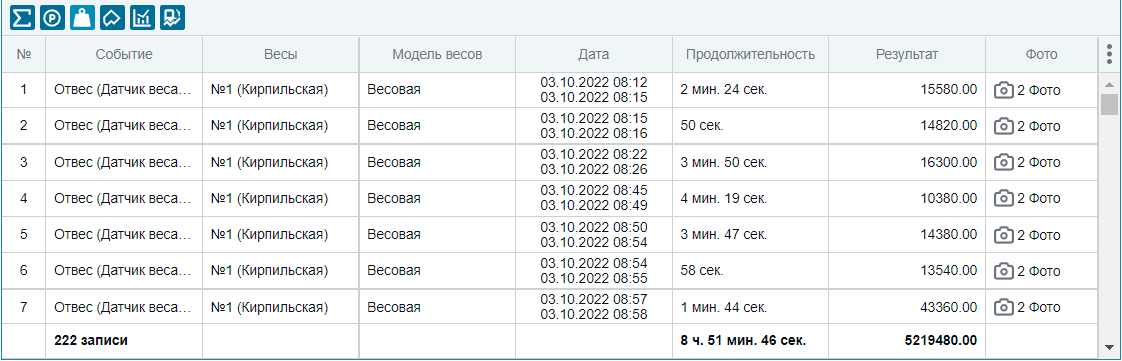
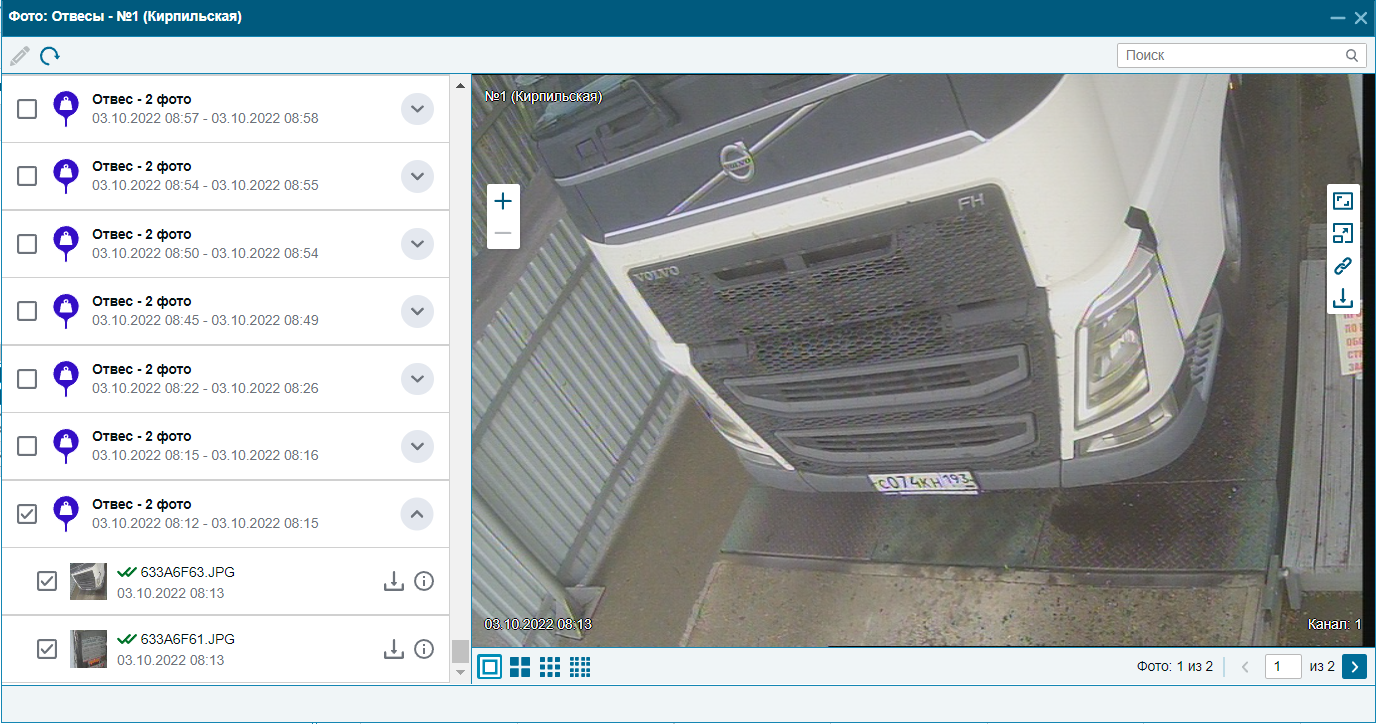
Clicking on the photo in the line will open a window with photos that were taken during the weighing.